
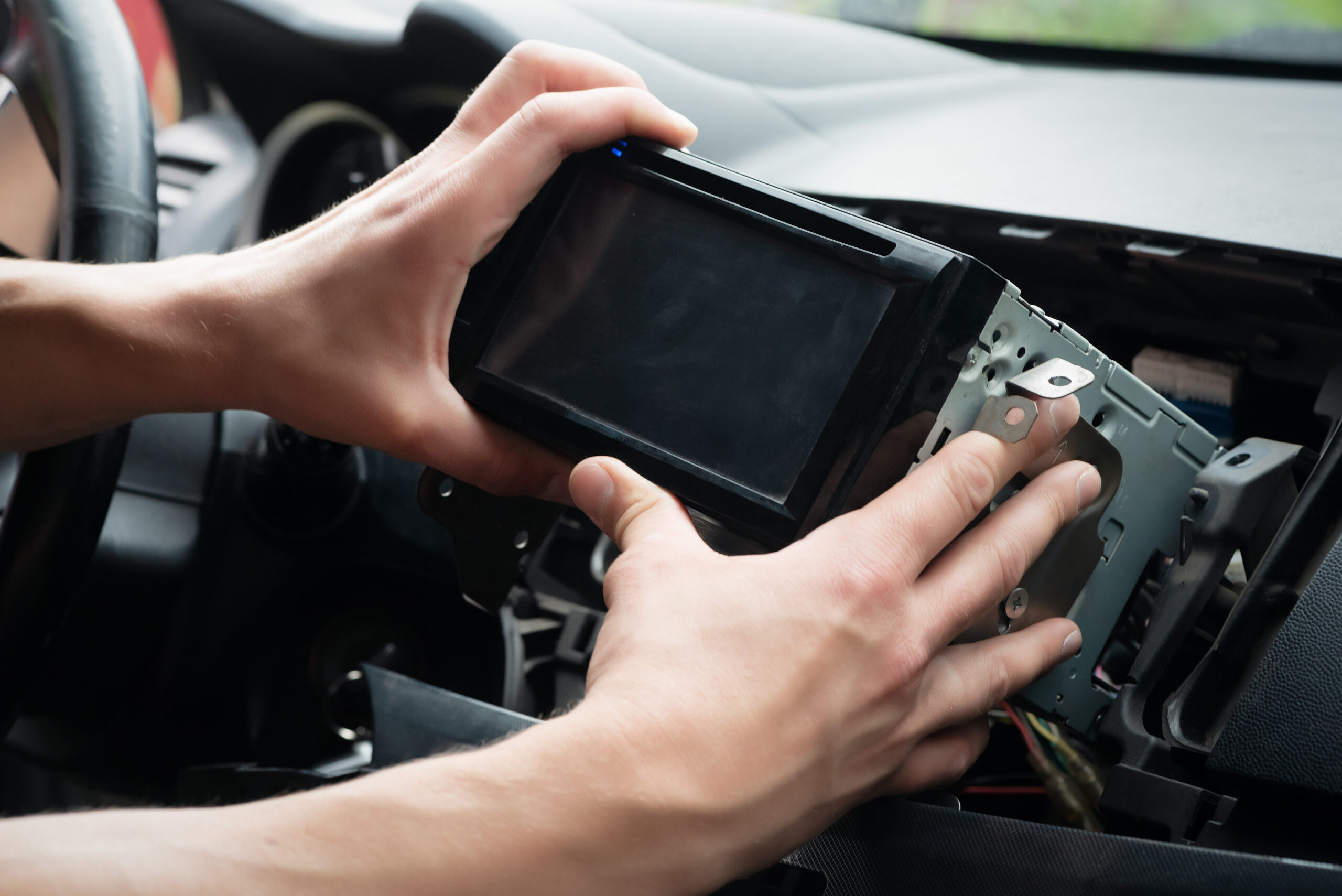
Why Go Wireless in an Older Luxury Car
Your car is still a killer machine, but the tech feels stuck in the past. Wireless Apple CarPlay brings your daily drive up to modern standards without ruining the factory style you love. You get navigation from your favorite apps, music from your go to platform, hands free texting, podcasts, and voice control with Siri. No cable. No fuss. Just get in, start the engine, and your phone connects on its own. For older high end models from Audi, BMW, Mercedes, Porsche, Lexus, Jaguar, Land Rover, Acura, Infiniti, Volvo, and Cadillac, the right Apple CarPlay installation keeps the stock look and turns your cockpit into a modern command center.
Your Options for Apple CarPlay Installation
1. Wireless Adapters for Cars That Already Have Wired CarPlay
If your luxury car already has wired CarPlay from the factory or from a previous head unit upgrade, a wireless adapter is the easiest path. It plugs into the existing USB port, then bridges your phone to the car over Bluetooth for discovery and Wi Fi for data. No cutting, no dash work, and setup usually takes minutes.
- Best for owners who already have wired CarPlay and want to lose the cord
- Fast install with no permanent changes
- Good audio quality since data travels over Wi Fi
- Budget friendly way to go wireless
Typical costs: 60 to 200 for quality adapters. Installation is often DIY, or Fox River Audio can set it up and update firmware if needed.
2. OEM Style Retrofit Interface Kits
These kits add Apple CarPlay to your original screen and controls. They integrate with factory systems like Audi MMI, BMW iDrive, Mercedes COMAND, and Porsche PCM. You keep the factory screen, backup camera, steering wheel buttons, and parking sensors. The kit adds a hidden module that switches the screen to CarPlay when you press a set button or hold a menu key. This is the most popular Apple CarPlay installation path for older luxury cars because it preserves the original look.
- Factory style appearance, nothing looks out of place
- Works with OEM controls and factory amp
- Clean signal path for strong audio quality
- Ideal for 2010 to 2018 luxury models that lack CarPlay from the factory
Typical costs: 500 to 1200 for parts depending on the car, 300 to 800 for professional installation. Complex vehicles with fiber optic audio or 360 cameras can run a bit higher.
3. Full Head Unit Replacement
If your older luxury car has a small low resolution screen, dated navigation, or weak Bluetooth, a full head unit replacement may be the best call. A new radio from top brands can bring wireless CarPlay, Android Auto, high voltage preouts, a bright HD touchscreen, and better audio processing for your factory or aftermarket amps.
- Best upgrade path for sound quality and screen clarity
- Modern features like hi res audio, time alignment, and app control
- Pairs great with upgraded speakers, amps, and a custom sub
- Requires proper dash kit, interface modules, and careful integration
Typical costs: 900 to 3000 for parts depending on size and features, 400 to 1200 for installation. Cars with fiber optic systems may need specialized interfaces that add to the total.
4. Portable Wireless CarPlay Displays
Portable dash mounted displays sit on top of your dash and power from the 12 volt outlet. They accept wireless CarPlay and often include a backup camera input. They do not integrate with the factory audio system in a deep way, but they are a low commitment option.
- Fast to install and remove
- No opening the dash
- Lower cost, decent temporary solution
- Not as clean or stable as a retrofit or head unit swap
Typical costs: 120 to 400, with simple DIY setup. Great as a stopgap until you do a proper Apple CarPlay installation.
Compatibility Checks Before You Buy
Every luxury platform has quirks. A quick check list saves time and avoids surprises. Fox River Audio runs these checks during your consult and shows you options on our interactive demo displays so you can try before you buy.
- Year, make, model, and trim, since infotainment options change mid generation
- Audio system type, standard or branded premium with a factory amp
- Signal path, analog or fiber optic network. Many luxury cars use MOST fiber, which affects parts choice
- Factory screen size and interface, such as MMI, iDrive, COMAND, PCM, or Lexus Remote Touch
- Existing cameras and sensors. Note reverse camera, 360 camera, parking sensors, and blind spot alerts
- Steering wheel controls and any integrated climate or vehicle settings in the screen
- Space for microphones, GPS antennas, and Wi Fi antennas for clean wireless performance
- Sound goals. If you want better clarity and bass, plan the head unit and audio upgrades together
Step by Step: A Clean Apple CarPlay Installation
- Confirm your platform. Gather VIN, current infotainment details, and photos of the dash and trunk amp if possible.
- Choose your path. Adapter for existing wired CarPlay, OEM style retrofit, full head unit, or portable display.
- Source the right parts. For fiber optic cars, plan the proper interfaces for audio and data. Include harnesses, dash kits, antennas, and microphones.
- Bench test. Update firmware on the CarPlay module or head unit. Pair a phone on the bench when possible.
- Disassemble with care. Use plastic tools, protect trim and leather, and label every connector.
- Make clean connections. Use plug and play harnesses, proper adapters, and avoid cutting factory wiring. Secure ground points.
- Place antennas smartly. Keep Wi Fi and GPS antennas away from metal and HVAC ducts. Mount the mic near the headliner or A pillar away from wind noise.
- Integrate cameras and sensors. Connect reverse trigger, camera video, and vehicle speed or CAN where required. Confirm dynamic guide lines if supported.
- Test audio paths. Verify left and right channels, fade and balance, and subwoofer output if present. Check chimes and parking sensor beeps.
- Pair wirelessly. First pairing uses Bluetooth to discover, then Wi Fi takes over. Approve prompts for contacts and messages on your iPhone.
- Code or configure. Some cars need simple menu settings. Set default input, button mapping, and audio levels for navigation prompts.
- Final fit and finish. Reassemble trim, route cables out of sight, and confirm no rattles. Do a complete drive test for stability.
Wireless Performance Tips That Actually Matter
- Keep iOS updated and reboot your phone after big updates
- Set your phone to forget old rental cars or adapters that try to auto connect
- Place antennas away from metal and not buried under the dash foam
- Use a high quality microphone and aim it toward your face for crisp calls
- Adjust EQ and fader so navigation prompts do not drown out music
- For head unit swaps, use high voltage preouts for lower noise and better dynamics
- Ask Fox River Audio to update module firmware during service checks
What It Really Costs in the Real World
Pricing varies with the car and the gear you pick. Here are honest ballpark ranges Fox River Audio sees in Burlington, WI.
- Wireless adapter for wired CarPlay: 60 to 200 parts, minimal or no labor
- OEM style retrofit interface: 500 to 1200 parts, 300 to 800 labor
- Full head unit replacement: 900 to 3000 parts, 400 to 1200 labor
- Specialty fiber optic audio interfaces when needed: 200 to 1000
- Backup camera add on if your car lacks one: 150 to 400 parts, 150 to 400 labor
- Dash cam or safety add ons: 100 to 700 parts, 100 to 300 labor
Fox River Audio stands behind the work with a lifetime workmanship warranty. That means clean wiring, secure mounting, proper routing, and professional tuning every time.
Popular Luxury Platforms and Pro Notes
Audi
MMI based systems take well to OEM style retrofit kits that switch inputs and reuse your factory controls. Many models use a fiber optic amp, so proper interfaces are key to preserve chimes and balance. Full head unit swaps need custom kits and careful trim work to look right.
BMW
iDrive generations differ a lot. CIC and NBT systems are prime for retrofit modules that retain the rotary controller. Audio quality can be excellent if you keep the factory amp and feed it the right signal. Make sure to support the factory camera if equipped.
Mercedes Benz
COMAND and Audio 20 vary by year. An interface that cleanly switches to CarPlay on command is the smart play. Keep an eye on parking sensors, 360 systems, and fiber optic loops. Professional installation protects complex trim and leather.
Porsche
PCM units in older 911, Cayenne, Panamera, and Macan work well with retrofit modules. If the car is a keeper and you want the best screen and sound, a head unit upgrade paired with a tasteful dash kit can be stunning when done by a pro.
Lexus
Factory screens with Remote Touch or older knob setups respond well to interface kits. Some models route climate settings through the screen, so integration must be exact. Wireless performance is strong with careful antenna placement.
Jaguar and Land Rover
InControl systems often require a dedicated interface and careful CAN bus handling. Expect tighter trim and unique dash shapes. A retrofit is often better than a full swap to keep the cabin design pure.
Volvo
Older Sensus systems may need specialized parts. Retaining safety alerts is top priority. Retrofit modules reduce risk, keep the factory feel, and still deliver wireless CarPlay convenience.
Cadillac, Acura, Infiniti
Mixed platforms and tiered trims mean a quick inspection is smart. Steering wheel control retention and camera integration are usually straightforward with the right interfaces. Many models see a huge leap in audio quality with a head unit upgrade.
Why Fox River Audio
Fox River Audio is local, independent, and built for enthusiasts. Our renovated 27,000 square foot facility in Burlington, WI houses demo vehicles, sound rooms, fabrication bays, and a showroom packed with interactive displays so you can test gear and see how wireless CarPlay feels before we touch a single screw. Our team brings decades of hands on experience across luxury platforms, fiber optic systems, and OEM integration. We carry top brands like Rockford Fosgate, Kenwood, and JL Audio. Every Apple CarPlay installation we do is covered by a lifetime workmanship warranty. You get clean panels, tight wiring, and factory grade fit and finish.
Fox River Audio is more than CarPlay. We build custom audio for cars, boats, motorcycles, UTVs, ATVs, Jeeps, and commercial fleets. We install remote starts, security upgrades, GPS tracking, LED and HID lighting, underglow, emergency lighting, dash cams, backup cameras, parking sensors, and blind spot monitoring. For powersports and marine, we use weather resistant and marine grade components tuned for hard use. If you want a total upgrade that hits tech and sound in one shot, we have the gear and the crew to make it happen.
FAQ: Apple CarPlay Installation for Older Luxury Cars
Will wireless CarPlay affect audio quality?
No. Wireless CarPlay uses Wi Fi for data and sounds excellent when the system is installed and tuned right. Many clients report better clarity after proper level matching and EQ.
Can I use my factory microphone?
Sometimes. Some cars require a new high quality mic for better call clarity. Fox River Audio will test both and pick the best option for your car.
Will this change my factory look?
Retrofit interface kits keep the stock screen and controls, so the cabin looks original. Head unit replacements change the screen, but a pro install with the correct dash kit can look like it came from the factory.
Can I keep my factory backup camera and sensors?
Yes, in most cases. We tie into the reverse trigger and video feed so the camera and parking guides still show up. 360 systems need extra care and parts, which we handle every week.
Is the upgrade reversible?
Yes. Quality installations use plug in harnesses and do not cut factory wiring. Your car can go back to stock if you ever want it to.
How long does it take?
Wireless adapter installs take minutes. Retrofit kits usually take half a day to a full day. Full head unit replacements span one to two days when custom integration or amplifier tuning is involved.
Will it drain my battery?
No. Properly installed systems enter sleep mode like the factory setup. We test current draw during the final checklist.
Pro Tips From the Bay
- Document every factory setting and radio code before you start
- Use quality trim tools and protect wood and leather at all times
- Label each connector to speed reassembly and future service
- Update firmware before the dash goes back together
- Tune navigation prompt levels separately from music so directions stay clear
- For best voice commands, mount the mic high and away from vents
Get It Done Right With Fox River Audio
If you want wireless Apple CarPlay that works every time and looks factory, bring it to Fox River Audio in Burlington, WI. We listen to your goals, walk you through the best path, and let you audition the gear on our demo displays. You will leave with a plan that fits your car, your budget, and your style. Whether you need a simple wireless adapter setup, an OEM style retrofit, or a full head unit and audio overhaul, our team delivers with pride and backs it with a lifetime workmanship warranty.
Next Steps
- Make a quick list of your car’s year, make, model, and trim, then note your must have features
- Stop by Fox River Audio to test wireless CarPlay on our demo boards
- Get a written estimate with parts, labor, options, and timelines
- Schedule your Apple CarPlay installation and plan any add ons like dash cams or lighting
- Pick up your car and drive home with modern tech that feels built in
Your older luxury car still turns heads. Now make the tech match the badge. Wireless Apple CarPlay is the upgrade that changes every drive. Fox River Audio is ready when you are.

